
Featured Rates

New Digital Banking Self-Service Feature
Debit Card Disputes Made Easy in Digital Banking
Most debit card transactions are processed accurately and without issue. However, if you notice a debit card transaction you don't recognize or believe is incorrect, you can now submit a dispute directly through AltaOne Digital or Mobile Banking.
How to Submit a Debit Card Dispute
Log in to Digital or Mobile Banking.
Select the transaction you wish to dispute.
Click the three-dot menu on the right side of the transaction and select Dispute Transaction.
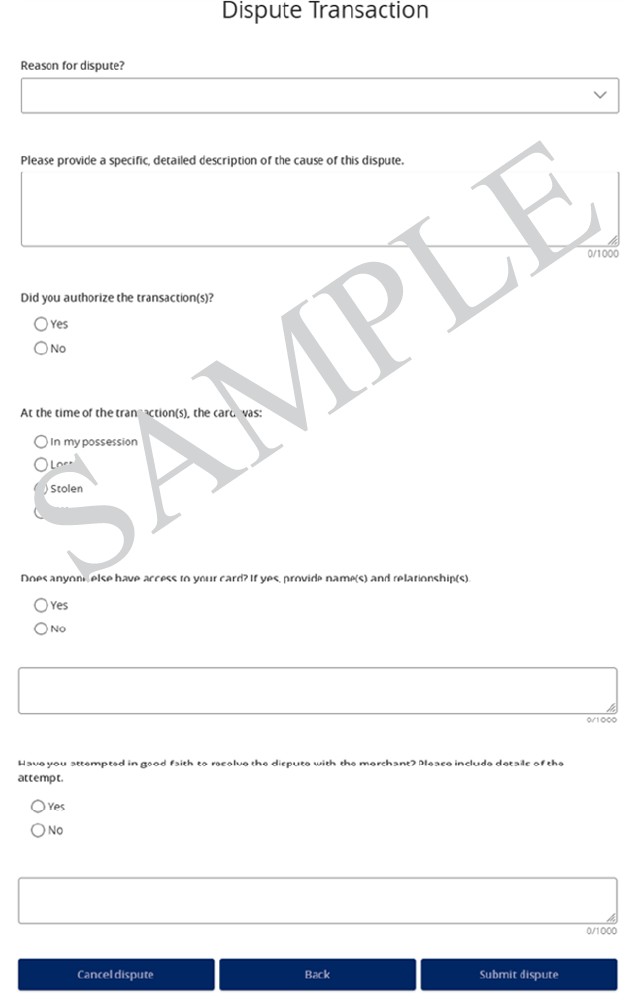
Answer a few questions about the transaction and the reason for the dispute.
Review and submit your claim.
That's it! Your dispute will be securely submitted for review, and you can monitor its status directly within Digital or Mobile Banking.
Before You File a Dispute
Take a moment to review the transaction details before submitting a dispute. Merchant names may appear differently on your statement than they do on receipts, websites, or storefront signage.
Select the transaction to be disputed and click on the 3 dots to open the menu.
Choose Dispute Transactions.
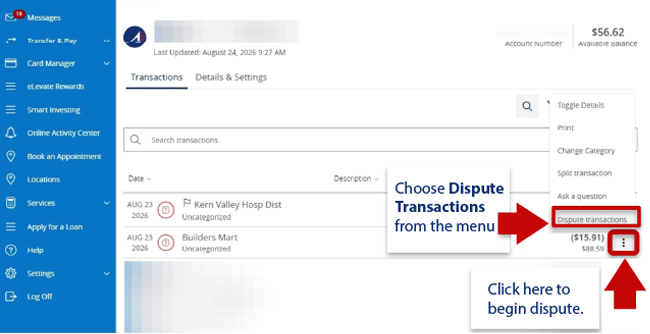
If you need to dispute more than one transaction, select additional transaction(s) to be disputed.
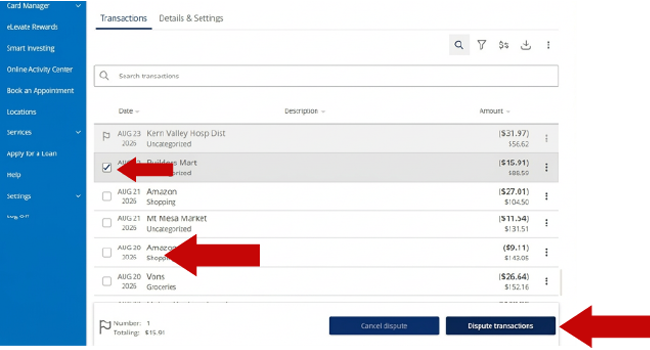
Once all transactions to be disputed have been selected, click Dispute transactions at bottom of the screen.
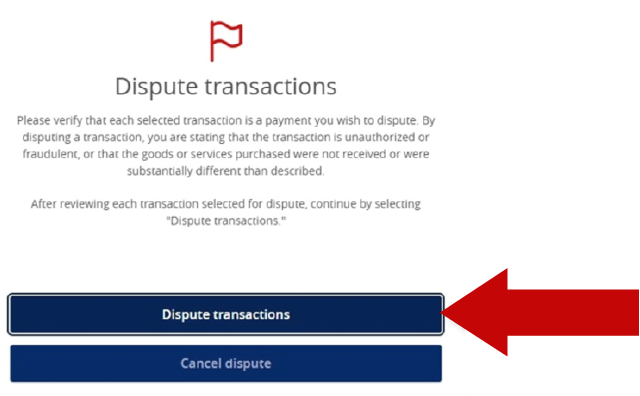
Forgot something? You will have the option to Cancel, Go back to include additional transactions or Continue dispute.
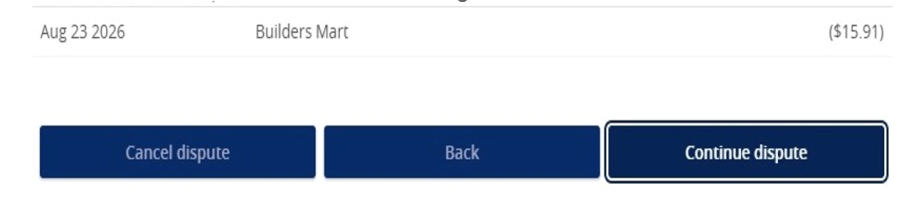
Answer a few quick questions and click Submit Dispute.
That's it! Your dispute will be securely submitted for review, and you can monitor its status directly within Digital or Mobile Banking.


